Complimentary tickets: how to invite VIPs, family and friends to your event
Safara One team ·
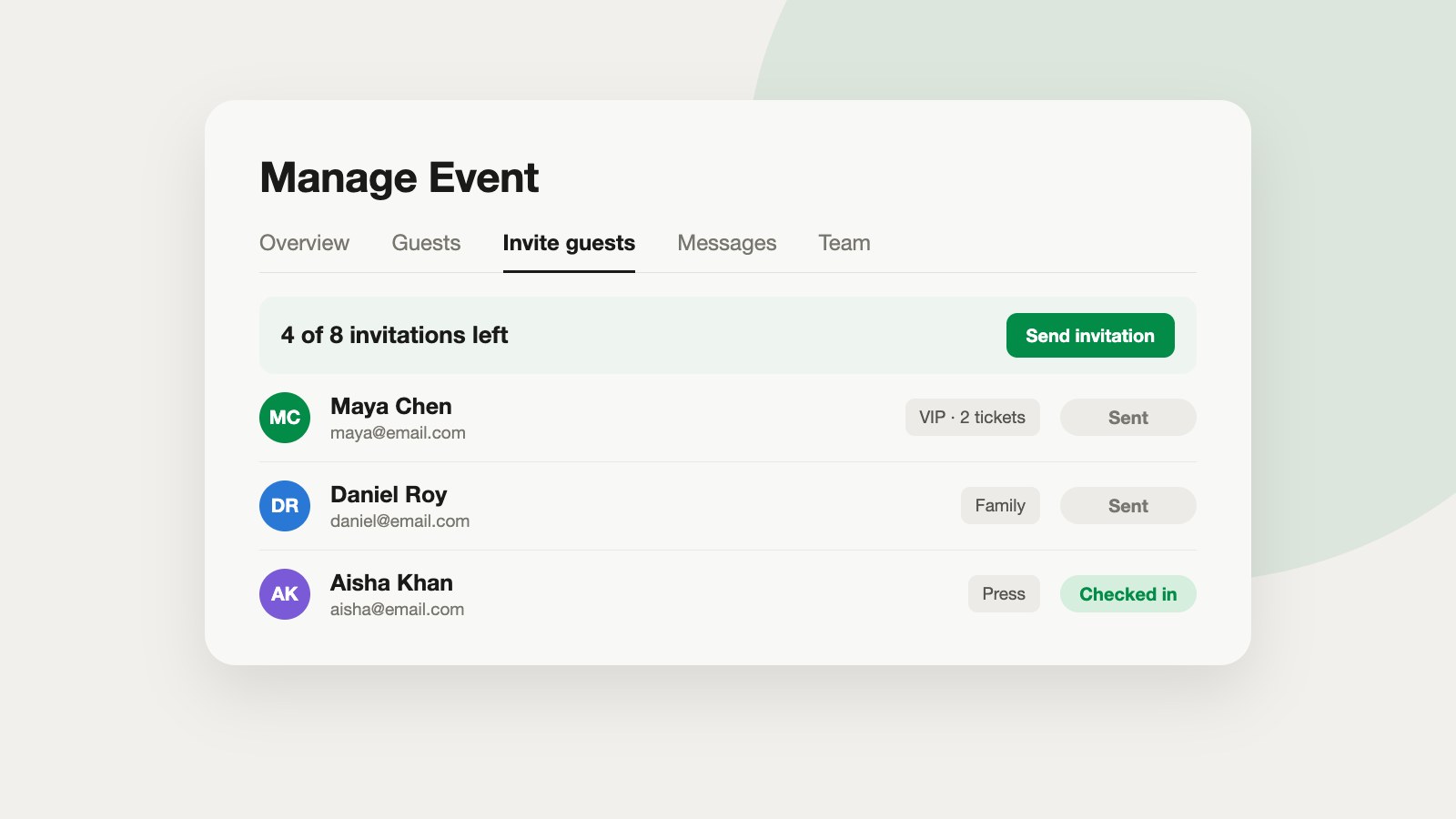
Almost every event has people who shouldn't pay to get in: the performer's partner, the friend who lent you the speakers, your mum, the local writer you'd love to see there. A complimentary ticket, or "comp", is how you invite them. Done well, it costs you little and fills the room with people who want you to succeed. Done carelessly, it overfills the room or leaves someone waiting at the door. Here's how to do it well.
Who should get a complimentary ticket
A good test: would this person's being there help the event, or are they someone you'd want to thank? Most comps fall into a few groups:
- The people making it happen. Performers, teachers and speakers, plus one guest each if you can. A guest of theirs in the room makes for a better show.
- Partners and the venue. A sponsor, the café that's lending you their space, the shop that put up your poster.
- People who can spread the word. A local journalist, a newsletter writer, a community organizer. One honest mention can sell more tickets than the comp is worth.
- Family and close friends. They'll come anyway. Inviting them properly means they get a real ticket and don't have to talk their way in.
Comps aren't a discount. If you want to make tickets cheaper for a group, such as students or early supporters, a discount code is the better tool, because those people still book and pay.
How many to set aside
Keep comps to a small share of the room, so they stay special and your paying guests still have space. A common rule of thumb is around 10 to 15% of your tickets. On Safara One, every event includes 50 free invitations, whatever its size, so you choose how many of them to use.
Need more, for a launch night or a big cast? The event's owner can add 10 more for $5 + HST ($5.65 in total). They're for that event only and can't be refunded, so buy them when you know you'll use them.
Plan the room before you invite
This is the part people forget. Invitations don't take tickets away from sale, so everyone you invite comes on top of everyone who buys. If your room holds 60 and you plan to invite 8 people, put 52 tickets on sale, not 60. Your 50 free invitations easily cover that list.
If you've already published with the full number, lower the ticket quantity in Edit event before sales get close to it.
How to send invitations on Safara One
- Open your event's Manage Event page and choose the Invite guests tab.
- Give the ticket a name, such as VIP, Family or Press. Your door staff see this name when they scan it.
- Enter the guest's name and email. Both are needed every time, so each invitation belongs to a real person.
- Choose how many tickets. One email can get as many as you have left: use this for someone bringing their partner or kids, or a contact who hands out tickets to a whole group.
- Tap Send. Your guest gets one email titled You're invited, with a separate QR code for each ticket.
Your guest pays nothing and doesn't need an account. The invitation doesn't change the number of tickets on sale, doesn't appear on your public event page, and isn't counted as a sale in Insights.
If someone on your event team has Full access, they can send invitations too. Only the owner can buy more.
After you've sent them
- Lost the email? Tap Resend on their row.
- Plans changed? There's no "can't make it" button, so ask your guests to tell you if they can't come. Tap Cancel on their invitation: the QR code stops working, and you get the invitation back to send to someone else. An invitation that's already been scanned can't be cancelled.
- Last-minute news. When you send your event's message from the Messages tab, invited guests get it too, along with everyone who bought a ticket.
At the door
Invited guests check in exactly like everyone else: scan the QR code, or find their name in the Guests list, where they show with an Invited tag. Each ticket lets one person in once, and a cancelled invitation is refused. Our guide to QR code check-in covers setting up the door.
One small touch that guests remember: tell your door staff who your VIPs are, so they get a proper welcome rather than a scan and a nod.
A simple plan
- Write your list before you publish: performers and their guests, partners, press, family.
- Set your ticket quantity to the room size minus that list.
- Send the invitations a week or two before the event, when people are planning their week.
- A few days before, cancel any that won't be used and pass them on.
- On the night, make sure the door knows who's coming.
Ready to plan your next one? Create your event. It's free, and the invitations are included.